Bring process guidance into the operator's field of view
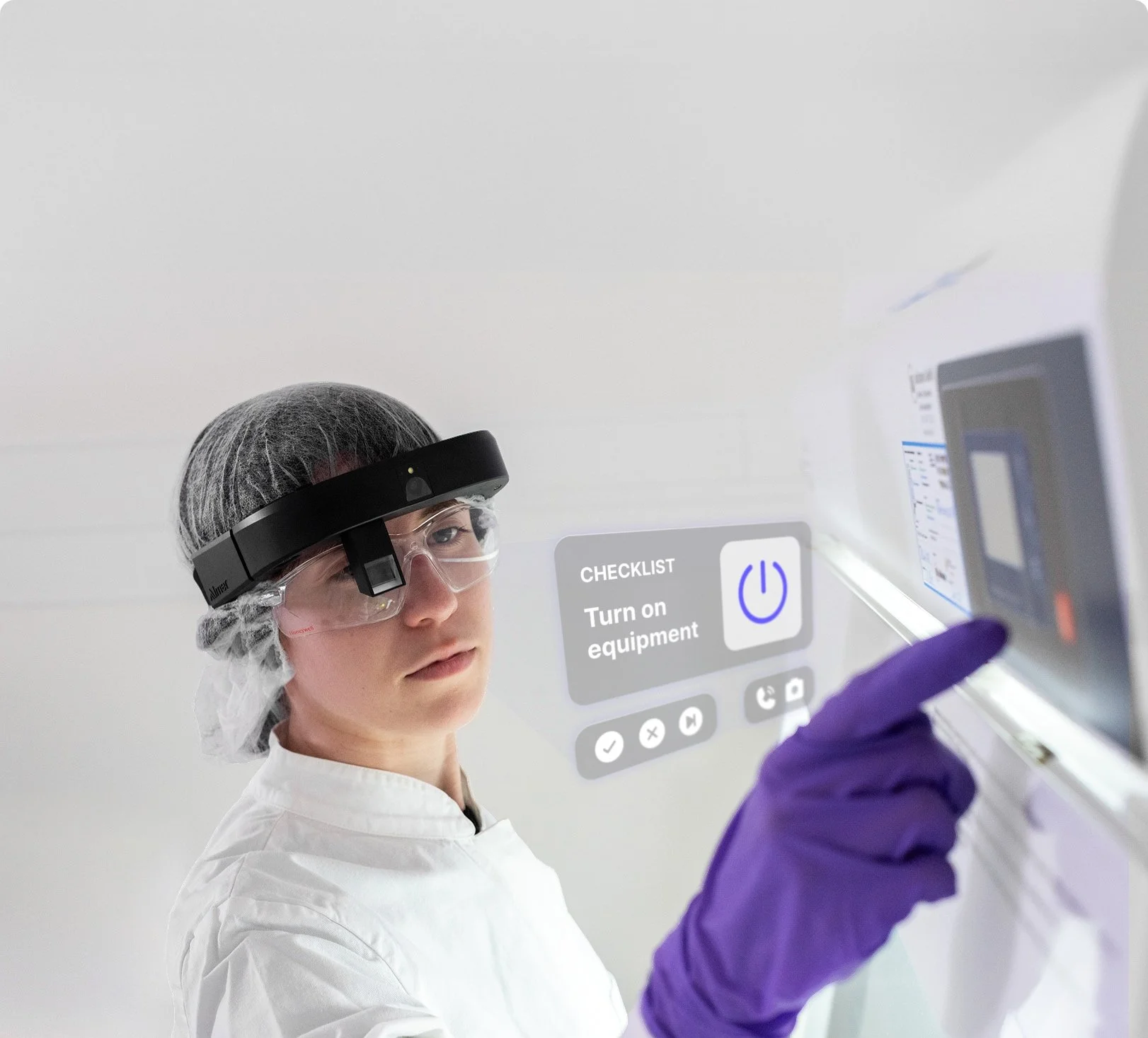
Give operators hands-free access to visual instructions, checklists, documentation tools, and remote expertise without repeatedly stepping away from the task.

Guidance where execution happens, hands-free

Operators can navigate approved task flows using voice commands, view contextual instructions, record selected steps, and request expert support while remaining focused on the work environment.


Capture process context

Use voice input, images, video, and step records to document selected aspects of execution as they occur.

What’s in it for me!

Support correct sequencing

Present steps in a clear task flow to help prevent omissions and unnecessary variation.

Reduce interruptions

Keep relevant guidance in view and reduce the need to move between the equipment and a separate workstation.

Escalate with shared visibility

Allow a remote expert or authorized Quality colleague to see the operator's view and provide timely support.

Use cases

  • Abstract icon with star and line, blue gradient

    Changeover and line clearance support

    AR provides immersive, step-by-step visual guidance, allowing to perform complex procedures in a controlled environment.

  • Illustration of a headset with microphone, blue gradient icon

    Equipment inspection and maintenance

    Assistance to support on-site personnel, overlaying instructions onto the user's field of view. This immediate guidance ensures accurate task execution.

  • Icon of a hard hat and safety goggles, blue gradient

    Guided qualification and supervised execution

    Provides real-time guidance during manual tasks. AR guidance minimizes distractions.

  • Icon of a lightbulb, lightning bolt, and open book in a blue gradient

    Complex assembly or setup

    One reference point prevents omission or error.

  • Keyhole icon in a circle, blue gradient

    Troubleshooting with remote expertise

    Real-time video call with Process QA to address a situation in production with swift resolution.

  • Two overlapping coins icon, blue gradient

    Sampling or material-handling workflows

    Key step for Product batch release and monitoring requirements.

Arc 3. The AR wearable device


Built for Productivity. Designed for Safety.

Sleek, as it should be.

 
Sourcin logo
Augment IT logo with stylized AR visor and "Augment IT" text.

An all-in-one solution

Sourcin collaborates with Augment IT and RealWear to bring Mixed and Augmented Reality into Biopharma Operations, offering visual instructions and checklists directly in the flow of work.

• Biopharma expertise, GMP-compliant content

• Micro-videos and AR checklists

• Toolbox with ALCOA+ traceability

• Try LEx↗︎ now

LEx logo in white.

+

• AR platform for tasks and checklists

• Remote support, ISO Level 5 compliant

• visit inspectar.com↗︎

Inspect AR logo with blue abstract circle design and "Inspect AR" text.

+

• Industrial-grade AR headsets

• Hands-free, lightweight, safety-ready

• Long battery life, 4K video

• Visit realwear.com↗︎